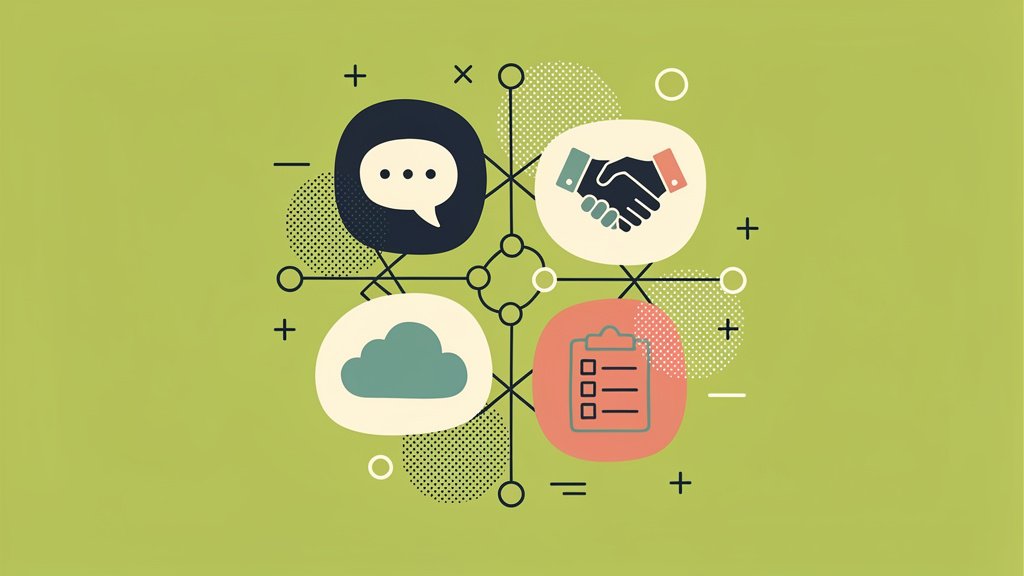
Here’s something we’ve noticed talking to nonprofit teams: collaboration tools used to be the thing you’d add “if there’s budget left over.” Not anymore. Whether your folks are spread across time zones, wrangling volunteers in the field, or sharing donor data off one laptop between three people, the tools you pick end up shaping your whole day, how much time goes to actual mission work versus how much gets eaten by workarounds and duct-tape fixes.
So we wanted to break down what actually matters when you’re choosing (or rethinking) your setup. This isn’t a features checklist pulled from a vendor’s marketing page, it’s grounded in over a decade of building software at Funraise, watching what works and what quietly causes headaches down the road.
Collaboration as Mission Infrastructure, Not Overhead
The nonprofits that are ahead of the curve stopped treating tech as a cost center a while back. They see it as mission-delivery infrastructure, full stop. Good collaboration tools free your staff to actually focus on programs and relationships instead of drowning in spreadsheets, endless email threads, and manual workarounds.
Goodstack’s 2026 trends report, based on work with over 1 million nonprofits in 2025 (Goodstack), backs this up: collaboration platforms have moved from “nice convenience” to operational bedrock, especially for distributed teams. Makes sense when you think about it. Teams work across geographies now, donor and program data live in digital systems, and stakeholders expect reporting fast. Secure document collaboration, real communication systems, cloud storage, these aren’t optional anymore.
That same infrastructure mindset is reshaping fundraising tech too. Nonprofits are trying to consolidate fragmented tools into integrated platforms, mostly to cut costs, ease the training burden, and actually strengthen donor relationships. This is exactly the gap all-in-one platforms like Funraise are built to close.
Critical features here:
- centralized hubs for communication, files, and tasks,
- cloud-based access so field, office, and remote staff all work from one source of truth,
- enterprise-grade security, even for small organizations.
Protip: When you’re talking to your board or funders, frame collaboration tools as mission-delivery infrastructure. Tie them to measurable impact, fewer admin hours, faster funder reporting, better donor stewardship. Numbers move boards more than vibes do.
Usability and Accessibility Come First
Look, the fanciest features in the world don’t matter if nobody on your team actually uses them. For nonprofits dealing with high turnover or a big volunteer base, overly complex tools create hidden costs: constant retraining, inconsistent adoption, and those “shadow systems” (we’re looking at you, unofficial WhatsApp groups) that live entirely outside your official platforms.
What should you actually look for?
- an intuitive interface that doesn’t require a computer science degree,
- mobile-friendly design for people in the field,
- onboarding that doesn’t take a week,
- a unified experience with email, chat, video, and files living in one place instead of six,
- role-based access, so volunteers see what they need while finance and leadership see more.
Real-Time Communication and Document Collaboration
Modern tools need to support real-time communication and co-editing across teams. Think grant writing that spans development, programs, and finance. Think campaign planning between fundraising and marketing. Think board work happening in the gaps between formal meetings, not just during them.
The core capabilities you’re after:
- real-time messaging and channels,
- video conferencing with screen sharing and breakout rooms,
- simultaneous document co-authoring with inline comments and suggestions.
Protip: Set channel norms and doc naming conventions before you roll anything out. Real-time tools only work when everyone actually knows where conversations live, otherwise you’re just adding another place for confusion to happen.
Integration Across Fundraising, Volunteer, and Program Tools
If we had to pick one feature that matters most, it’d be integration. So many nonprofits get weighed down by tools that don’t talk to each other, each one requiring its own specific knowledge that walks out the door the moment someone leaves.
Funraise’s partnership with volunteer platform POINT is a good example of this trend in action: synchronized donor and volunteer databases, cross-platform reporting, unified communication tools, so your records aren’t split across five different systems anymore.
Two things matter most here:
| Feature | Why It Matters |
|---|---|
| Open APIs and connectors | your hub should link to CRM, fundraising, and volunteer tools without manual re-entry |
| Cross-system reporting | bring fundraising and volunteer data into shared dashboards for aligned decisions |
Here’s a data point that should give you pause: data expert Tim Lockie notes that 90% of nonprofits collect data, but only 5% actually use it to make decisions (Funraise Nonprofit Technology Trends). That gap is huge. Tools that surface data instead of just hoarding it are essential if you want to close it.
Protip: When you’re evaluating a platform, make a list of your “must-connect” systems and insist on live demos of integrations. Ask directly: “Show me how my development director and volunteer coordinator would see a unified view of the same supporter.” If they can’t show you, that tells you something.
A Prompt You Can Use Today
Copy and paste this into ChatGPT, Claude, Gemini, or whatever AI tool you’re already using. Just swap in your own details:
I lead a nonprofit called [ORGANIZATION NAME] with [NUMBER OF STAFF] staff working on [MISSION FOCUS]. We currently use these disconnected tools: [LIST YOUR TOOLS]. Help me build an evaluation checklist for a modern collaboration setup that improves real-time communication, integrates our fundraising and volunteer data, and stays within a lean nonprofit budget. Recommend where consolidating into an all-in-one fundraising platform like Funraise.org could reduce our tool sprawl, and flag which features I should demo before committing.In our experience, it’s worth leaning on solutions that build AI components directly into where your work actually happens, rather than bolting AI onto the side. That way you get full operational context instead of copying data back and forth between disconnected apps like it’s 2015.
Security, Compliance, and Trust
Nonprofits handle sensitive stuff: donor financials, client records, HR files, sometimes health or legal information too. Your collaboration tools need to go well beyond a password prompt here. Enterprise-grade security isn’t a luxury, it’s the baseline.
What to look for:
- granular, role-based permissions,
- audit logs and version history,
- encryption in transit and at rest,
- compliance alignment with standards like PCI for payments, HIPAA where relevant, and state privacy laws.
Secure collaboration and secure transactions go hand in hand, actually. Funraise testing showed a 160% increase in average donation amount for Apple Pay when offered as a payment option (Funraise 2023 Nonprofit Fundraising Trends), a good reminder that security and a modern user experience together can change real outcomes, not just protect you from risk.
Where Nonprofits Get Stuck
We hear the same struggles over and over from the leaders we work with. See if any of these sound painfully familiar:
- your development director and volunteer coordinator both keep “the master list,” and the two never match,
- a grant report is due tomorrow, and three staff members are emailing four different versions of the same document back and forth,
- a key employee leaves, and the reasoning behind last year’s biggest campaign decision walks out the door with them.
None of this is a failure of effort, honestly. It’s a failure of tooling. And consolidating into an integrated platform is often the exact moment these headaches quietly go away.
“Fundraising results are a lagging indicator of relationship quality. If you want better numbers, invest in the systems that let your team actually show up for people.”
Funraise CEO Justin Wheeler
Scalability and Nonprofit Pricing
Your tools need to scale from a small local nonprofit all the way to a national network, and from basic messaging up to complex volunteer and multi-office workflows. That means paying attention to user growth, feature growth (advanced AI, automation, security as you mature), and budget stability, including whether those nonprofit discounts you’re eyeing are long-term or just a promo.
Consolidation itself is a cost-saving move, by the way, cutting down on licenses, integrations, and training overhead all at once. Worth mentioning: Funraise offers both a free tier and premium plans for larger organizations, so you can get started without committing to anything upfront.
Protip: Budget by total cost of ownership over three to five years, not just what you’ll pay in year one. A tool that consolidates three systems is often cheaper, and way easier to manage, over the long haul.
Collaboration Around Fundraising and Donors
Collaboration isn’t just an internal thing. Fundraising, marketing, and programs all need to work together to build real supporter relationships. Look for:
- shared donor and campaign views,
- workflow automation that triggers follow-up tasks when donors give or lapse,
- campaign collaboration with version control and approvals built in.
AI-powered drafting tools can also help teams speed up donor communications, freeing up more time for actual strategy instead of typing the same thank-you email for the tenth time.
Governance and Institutional Memory
Good tools also protect institutional memory: secure board spaces, decision logs, searchable knowledge bases, so the reasoning behind decisions isn’t lost somewhere in an old email thread. This tackles that 5% data-use problem head-on, capturing decisions and learnings in a format people can actually find later.
Making It Stick
Even the best tool in the world falls flat without real implementation behind it. Communicate the benefits clearly, train your non-technical staff (don’t assume, just train), define usage norms, and build in feedback loops so the system evolves with your team instead of against it.
Here’s the takeaway we’d leave you with: collaboration tools are organizational design decisions, not just software purchases. If you’re ready to cut down on tool sprawl and bring your fundraising together in one place, testing an all-in-one platform like Funraise.org is a practical, low-risk place to start.
About the Author

How Professional Email Hosting for Nonprofits Impacts Donor Trust
Most donors meet your organization for the very first time through an email. Maybe it's a newsletter, a donation receipt, or a quick reply to a question they had. Either way, that inbox moment is basically your nonprofit's front door, and what donors see there shapes how much they trust you before they've even read…

Venmo for nonprofits: how to accept Venmo on your donation form
If your nonprofit's entire Venmo strategy is a handle in your Instagram bio and a QR code taped to a table at your gala, congrats, you're collecting money. But you're losing data. And data is kind of the whole point these days. Here's the better move: put Venmo directly on your online donation form, so…
8 Strategies to Optimize Your Task Tracking with Asana for Nonprofits
Nonprofit work is relentless in the best possible way. You're juggling grant deadlines, volunteer coordination, donor relationships, and program delivery, often with a lean team and a budget that demands creativity. The tools you use shouldn't add to that pressure. They should quietly absorb it. That's where Asana comes in. With a discount available for…