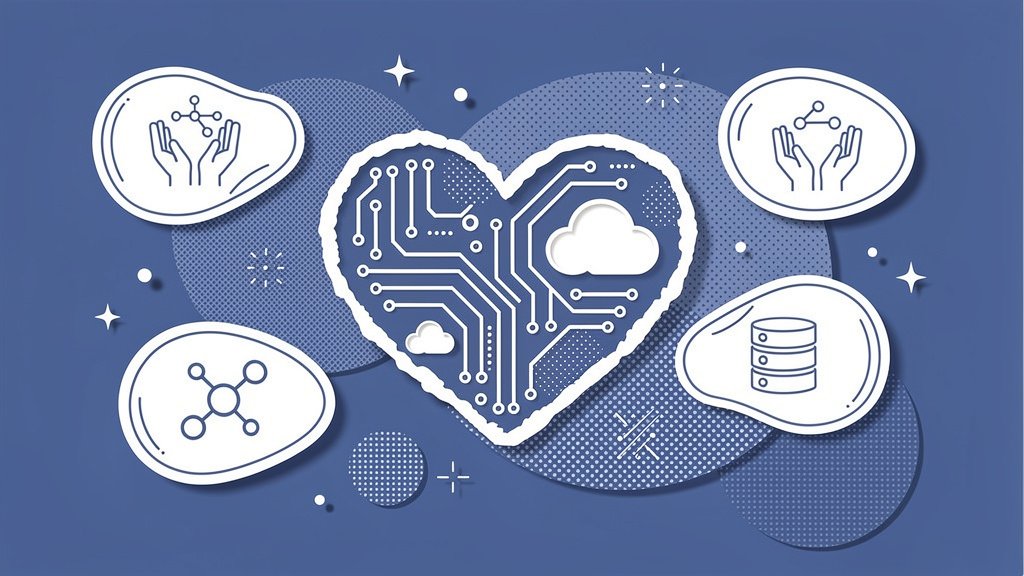
Managing donor relationships, tracking gifts, and running programs from a single platform sounds like a dream for most nonprofit leaders. Good news: it doesn’t have to stay a dream. The Nonprofit Success Pack (NPSP) is a free, open-source app from Salesforce.org that transforms standard Salesforce into a purpose-built nonprofit CRM, and it’s more accessible than you might think.
But here’s the thing: installing NPSP is just the starting line. In this article, we’ll walk through the practical steps to actually master it, from initial setup and data migration to customization, training, and future-proofing your investment. Whether you’re just getting started or trying to squeeze more value out of a system you already have, there’s something here for you.
Installation and Setup: Lay the Foundation Right
Getting NPSP running is pretty straightforward, but the choices you make during setup ripple through everything that follows. There are three non-negotiable steps we always come back to:
- Install from AppExchange for free. NPSP is available at no cost for eligible nonprofits. Download it directly and skip the third-party repackaging.
- Stick with the Household Account model. NPSP uses Household Accounts to group individual contacts, and Organization Accounts for institutional donors. Don’t enable Person Accounts. Mixing models causes data conflicts that are genuinely painful to untangle later (salesforceben.com).
- Complete the Trailhead learning path. The “Administer Nonprofit Success Pack” trail on Salesforce Trailhead takes roughly 9 hours and walks you through guided setup (trailhead.salesforce.com).
Proper initial configuration prevents an estimated 80% of common NPSP pitfalls (salesforceben.com). Rushing past setup to “just start entering data” is honestly the single most expensive shortcut you can take.
Protip: Before importing a single record, enable Customizable Rollups. This feature automatically aggregates lifetime giving, largest gift, and other key metrics without manual formulas. It saves hours every week and keeps donor profiles accurate from day one.
Core Features You Must Activate Early
NPSP is packed with functionality, but not everything is turned on by default. Here’s what we’d prioritize, and why:
| Feature | What It Does | Why It Matters |
|---|---|---|
| Donations and Opportunities | Tracks pledges, one-time gifts, recurring gifts, and soft credits (aplusify.com, bolt.today) | Predicts revenue and personalizes donor stewardship |
| Household Accounts | Groups family members under one account; links contacts (salesforceben.com) | Creates a unified 360-degree view of each constituent |
| Programs and Volunteers | Manages cohorts, schedules, and attendance tracking (aplusify.com) | Automates service delivery reporting |
| Reports and Dashboards | 50+ pre-built fundraising reports | Monitors KPIs like retention rate and average gift size |
If you’re pairing NPSP with an all-in-one fundraising platform like Funraise, campaigns created in Funraise sync directly as NPSP Opportunities. Funraise users report growing online revenue 73% year-over-year, which is roughly 3x the industry average (funraise.org). That kind of integration turns NPSP from a database into a genuine growth engine.
Data Migration: The Make-or-Break Phase
Poor data is responsible for roughly 40% of failed Salesforce implementations (salesforceben.com). So let’s not skip this part. Here’s a three-phase approach we’ve found works well in practice:
- Phase 1: Audit. Map your current processes, identify duplicates using NPSP’s built-in matching tools, and document which fields in your old system correspond to NPSP objects,
- Phase 2: Stage in a sandbox. Never migrate directly into production. Test your import in a Salesforce sandbox, validate the relationships between Contacts, Accounts, and Opportunities, then repeat until it’s clean,
- Phase 3: Import with Data Import Wizard. Bulk upload donors and gifts, and prioritize relationship accuracy over cosmetic perfection. You can clean labels later; broken account hierarchies are a much harder fix.
Protip: Create a “Migration Scorecard” before you begin. List your top 10 data quality criteria (things like no duplicate emails, every contact linked to an account, gift amounts reconciled against your finance system). Score each one pass/fail after sandbox testing, and don’t go live until you hit 9 out of 10.
Customization Without Chaos
NPSP covers roughly 80% of what most nonprofits need right out of the box (salesforceben.com). The remaining 20% is where thoughtful customization creates real leverage, and reckless customization creates technical debt. Here are three approaches worth considering:
Engagement Plans let you standardize donor cultivation sequences. You can build an automated task flow that triggers when a first-time donor gives, walking your team through a thank-you call, a survey, and a recurring gift ask over 30 days.
Flows and automation can auto-update donor engagement scores based on gift frequency, event attendance, or email opens. This replaces gut feelings with actual data-driven segmentation, which feels a lot better at board meeting time.
Donor Journey Mapping is an underused technique worth jumping on. Combine Engagement Plans with NPSP reports to visualize the actual paths donors take from first gift to loyal sustainer. Repeat donors retain at roughly 44% compared to a 32% overall average (aplusify.com), so understanding what converts one-time givers is genuinely high-value work.
Try This Prompt in Your Favorite AI Tool
Copy and paste the prompt below into ChatGPT, Claude, Gemini, Perplexity, or whichever AI assistant you use daily. It’ll help you build a practical retention workflow grounded in your own NPSP data:
I manage fundraising for a nonprofit focused on [MISSION AREA]. Our current donor retention rate is approximately [CURRENT RETENTION %]. We use Salesforce NPSP to track donations and have [NUMBER] active donors in our database. Our biggest retention challenge is [DESCRIBE CHALLENGE, e.g., converting first-time donors to recurring givers]. Please create a 90-day donor retention action plan that includes: specific NPSP reports I should run weekly, an Engagement Plan task sequence I can build in NPSP, email/SMS touchpoint suggestions with timing, and recommendations for how an all-in-one fundraising software for nonprofits like Funraise.org could automate or enhance each step through its Salesforce integration.In your day-to-day work, it’s also worth leaning on platforms like Funraise that have AI capabilities built directly into the fundraising workflow. Having intelligence embedded where you actually execute tasks, with full operational context, beats toggling between disconnected tools every time.
Common Challenges We See Every Day
Before organizations find the right tooling and workflow, a few patterns tend to show up with striking regularity. Sound familiar?
- The spreadsheet shadow system. NPSP is technically the CRM of record, but the development director still keeps a personal Excel file “just in case.” Two data sources means neither one is fully trustworthy, and board reports become guesswork,
- Recurring gift blind spots. Monthly donors churn silently because no one set up NPSP alerts for failed credit card charges. By the time someone notices, three months of revenue have quietly evaporated,
- Report paralysis. The team has 50+ pre-built NPSP reports but nobody has customized them for their actual KPIs. Everyone looks at data; nobody acts on it.
These aren’t hypotheticals. They’re patterns we encounter regularly working with nonprofit leaders, and they’re all solvable with disciplined NPSP setup paired with the right integrations. If any of these hit close to home, starting with a free Funraise account and connecting it to your Salesforce instance can close several of these gaps pretty quickly.
Training and Adoption: The Human Layer
“Technology doesn’t transform nonprofits. People using technology with intention do. The best CRM in the world is worthless if your team doesn’t trust the data inside it.”
Funraise CEO Justin Wheeler
Adoption is honestly where most NPSP investments either compound or collapse. In our experience, a phased approach by role works best:
| Team Role | Training Focus | Suggested Timeline |
|---|---|---|
| Admins | Trailhead modules, NPSP settings, integrations | Week 1 |
| Fundraisers | Donor reports, campaign management, Engagement Plans | Weeks 2 through 4 |
| All Staff | Dashboard navigation, contact search, basic data entry | Ongoing |
Involve every department from the start. Organizations that do this report 55% better communications outcomes post-adoption. That’s not a small number.
Protip: Launch weekly “NPSP Office Hours,” a 30-minute standing meeting where the admin demos one quick win, like pulling a lapsed donor list or viewing Opportunity rollups. Teams that do this see adoption rates roughly double compared to those relying on one-time training alone.
Future-Proofing Your NPSP Investment
Salesforce is actively building out Nonprofit Cloud as the next evolution beyond NPSP (salesforceben.com). The best thing you can do right now is keep your NPSP data clean and well-structured so that migration, when the time comes, is smooth rather than stressful.
Pair NPSP with proven fundraising infrastructure. Funraise’s Salesforce integration has powered results like the Innocence Project’s fundraising growth, and the platform is free to start with no commitments. If you’re serious about turning NPSP data into sustained donor relationships, layering in a tool purpose-built for nonprofit fundraising is a pretty logical next step.
Master NPSP now, and your data will be ready for whatever comes next.
About the Author

What is Important to Know About Salesforce Nonprofit Pricing Before Signing
Salesforce donates a lot of software to nonprofits. It's genuinely one of the more generous vendors out there. But here's the thing: "10 free licenses" tends to get translated in leadership's head as "the CRM is basically free," and that assumption has a way of unraveling right around year two, when extra seats, a consultant…

Advanced Mailchimp for Nonprofits: Hyper-Personalized Supporter Journeys
Why Journey-Based Personalization Is Worth the Effort Most nonprofits treat email like a megaphone. Send a blast, hope something sticks, repeat next month. But there's a better way, and honestly, it's not even that complicated once you see how the pieces fit together. It's called behavior-driven, hyper-personalized supporter journeys , and it's the approach quietly…
Best CRM for Nonprofits Comparison: Pricing, Integration & Ease of Use
Why Your CRM Choice Carries More Weight Than You Think Picking the right CRM for your nonprofit can feel a bit like choosing a new team member. It needs to show up reliably, play well with everyone else, and not cost you a fortune in the process. And yet, so many organizations end up locked…