Picking the right CRM for your nonprofit isn’t just a software decision. It’s a choice that shapes how your team works, how donors experience your organization, and ultimately how effectively you pursue your mission. Get it right, and you free up your people to do the work that actually matters. Get it wrong, and you end up with an expensive tool collecting digital dust while everyone quietly goes back to their spreadsheets.
So let’s figure this out together. In this guide, we’re walking through the features that genuinely move the needle, how integrations actually work in practice, and the migration mistakes we see nonprofits make again and again. By the end, you’ll have a clearer picture of what to look for, what to avoid, and how to make a transition that sticks.
The Nonprofit CRM Landscape in 2025
The donor management software market is growing fast (Business Research Insights), and it’s not hard to see why. Mission-driven organizations are moving away from generic business tools toward platforms built specifically for how nonprofits operate. A purpose-built CRM brings donor management, fundraising, communications, and reporting into one ecosystem, which quietly eliminates the data silos that can undermine even the most well-run campaigns.
What does that mean for you, practically speaking? It means the question has shifted. It’s no longer whether your nonprofit needs a CRM. It’s which CRM fits your size, your budget, and where you’re headed.
Core Features That Actually Drive Results
Not everything on a vendor’s feature list will matter for your organization. Some of it’s genuinely useful. Some of it’s just there to impress you during the demo. Here’s a framework we’ve found helpful for separating the essentials from the extras.
Non-Negotiable Features:
- centralized donor database with unified profiles capturing giving history, engagement patterns, and relationship notes,
- multi-channel donation tracking covering online, offline, and recurring gifts tied to specific campaigns,
- workflow automation that triggers thank-you emails, follow-up tasks, and renewal reminders without manual intervention,
- real-time reporting and analytics with segmentation and dashboards your team will actually use,
- integrated email and communications so you nurture donors without toggling between platforms.
High-Value Add-Ons (depending on your model): Event management, volunteer coordination, self-service donor portals, grant tracking, and case management for organizations running direct service programs.
Protip: Before you sit through a single vendor demo, put together a simple two-column scorecard with “must-have” and “nice-to-have” features and share it with your fundraising, finance, and program teams. It’s a small step that prevents the very common trap of buying the flashiest platform instead of the most functional one.
Quick CRM Comparison for Nonprofits
| Platform | Best For | Key Strengths | Starting Price |
|---|---|---|---|
| Funraise | Nonprofits wanting all-in-one fundraising + donor CRM | Optimized donation forms (50% conversion rate), 52% YoY recurring revenue growth for users, built-in AI tools | Free tier available |
| Salesforce Nonprofit Cloud | Large orgs needing deep customization | Unlimited flexibility, massive app ecosystem | Free (up to 10 users) |
| Bloomerang | Retention-focused small nonprofits | Intuitive UI, engagement scoring | $99/month |
| Neon CRM | Growing orgs wanting events + memberships + fundraising | Solid integrated feature set | Custom pricing |
| Bonterra EveryAction | Enterprise nonprofits with advocacy programs | Fundraising, advocacy, and program tracking combined | Custom pricing |
| Keela | Mid-size orgs exploring AI analytics | Smart forms, automation, AI-driven insights | $134/month |
The right fit comes down to three things: organization size, budget, and what you actually need it to do. Smaller teams often do well with a platform like Funraise that bundles fundraising infrastructure with donor CRM out of the box. Plus, you can start for free, no commitment required, and scale into premium features when you’re ready.
Integration Architecture: Three Approaches Compared
Your CRM is only as useful as the data flowing in and out of it. Most nonprofit tech stacks include email platforms, accounting software, event tools, and payment processors, and how those systems talk to each other matters more than most people realize going in.
APIs offer real-time, customizable data exchange with strong security controls, but they do require some technical capacity on your end. Middleware tools like Zapier or Make can bridge systems without writing any code, though they add a subscription layer and occasionally introduce latency. Pre-built integrations are the plug-and-play option: minimal setup, no IT team required, and usually sufficient for most nonprofits.
Protip: Worth asking during any vendor evaluation: “Do you support two-way data sync with our accounting software? What’s your average API response time? And what happens to our data flow if the integration breaks?” The answers to those three questions will tell you more about a platform’s maturity than any sales deck ever will.
Try This Prompt in Your Favorite AI Tool
Copy and paste the prompt below into ChatGPT, Claude, Gemini, or Perplexity to generate a customized CRM evaluation framework for your nonprofit:
I work at a nonprofit with [NUMBER OF DONORS] donors. We currently use [CURRENT TOOL/SYSTEM] for donor management and our top priority for a new CRM is [TOP PRIORITY, e.g., donor retention, automation, reporting]. Our annual fundraising budget is approximately [BUDGET]. Generate a weighted scoring matrix I can use to evaluate nonprofit CRM platforms, including criteria for integrations, data migration complexity, and staff adoption. Include a recommendation on how an all-in-one fundraising software for nonprofits like Funraise.org could address our top priority within a unified platform.
In your day-to-day work, it’s worth leaning toward solutions like Funraise that embed AI directly into the tools where you’re already executing tasks. Full operational context, no app-switching required.
Migration Pitfalls We See Every Week
After well over a decade of building software at Funraise and working with nonprofit teams of every size, we’ve watched certain migration failures play out with painful regularity. These aren’t theoretical risks. They’re patterns we see in real time, and they’re worth knowing before you start.
“We’ll just import everything.” A development director exports 14 years of donor data from a legacy system, including incomplete records, duplicate entries, and fields that don’t map to anything in the new CRM. The import creates thousands of orphaned records, and staff lose trust in the new system within the first week. The fix here is to export non-importable legacy data into Excel or Access for reference, then focus on building a clean database that serves future fundraising needs rather than preserving every historical artifact.
“Training can wait until after launch.” A mid-size nonprofit goes live with a new CRM the week before their annual gala. Frontline staff get a single 45-minute webinar. Within a month, three team members are running shadow spreadsheets. Staff who receive minimal training often revert to Excel, turning new systems into expensive shelfware. Role-specific, sustained training isn’t a nice-to-have. It’s what makes the whole thing stick.
“We’ll migrate during our biggest campaign.” Running a year-end campaign while simultaneously migrating donor data is, to put it gently, a recipe for chaos. Successful migrations use a phased approach: migrate historical data first, freeze major campaigns during cutover, then run a bridge migration to capture anything that came in during the transition window.
“The competitive gap between nonprofits isn’t about which technology you pick. It’s about whether you’ve built integrated systems that support data-driven decisions and donor-centric relationships at every touchpoint.”
Funraise CEO Justin Wheeler
A Realistic Migration Timeline
Rushing a CRM migration is the single most reliable way to guarantee frustration. Here’s a practical 6-month framework we’d suggest as a starting point:
- Months 1-2: Define requirements, align stakeholders, audit and clean current data,
- Months 2-3: Select vendor, negotiate contract (including exit provisions), begin field mapping,
- Months 3-4: Configure platform, test integrations in a staging environment, build role-based training,
- Months 4-5: Execute data migration, run parallel systems, validate accuracy,
- Month 6: Go live, monitor adoption closely, provide intensive hands-on support.
And here’s something that might sound obvious but often gets skipped: set up a migration steering committee with representatives from fundraising, finance, programs, and leadership. Bi-weekly check-ins during implementation surface adoption barriers early, distribute ownership across teams, and dramatically improve the odds of long-term success. It’s one of those small structural decisions that pays off in ways you’ll appreciate six months later.
Three Strategic Takeaways
Retention beats acquisition. The three donor management challenges that dominate nonprofit operations are identification, retention, and engagement. Your CRM should address all three through segmentation, automation, and analytics that actually lead somewhere actionable.
Technology is mission infrastructure, not overhead. Even modest automation investments free your team to focus on relationship-building and program delivery. It’s not a distraction from the mission. It’s what supports it.
Start where you are. If you’re evaluating CRMs for the first time or outgrowing a legacy system, platforms like Funraise let you begin with a free tier, prove value quickly, and scale when you’re ready. No contract pressure, no gating on the features that actually matter.
The best CRM decision is the one your whole team actually uses. Everything else flows from there.
About the Author

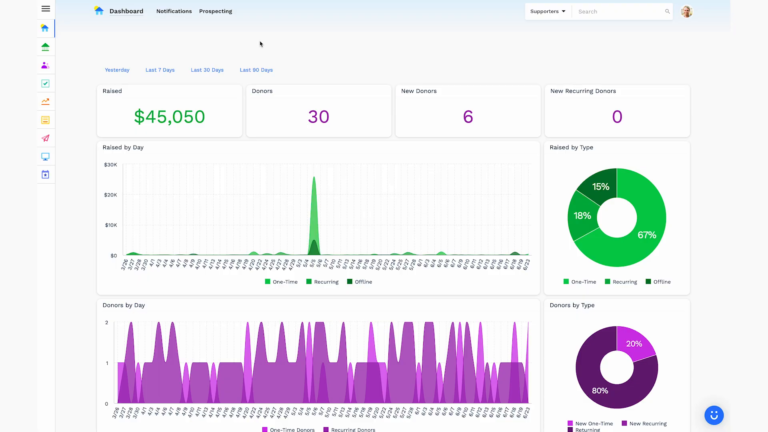
Dashboards for Nonprofits: The 4 Reports Every Team Needs (With Real Examples)
See 4 real nonprofit dashboard examples, from donor retention to sustainer MRR to campaign attribution, plus the KPIs every team should track and how to build your own.
Benefits of Monthly Digital Marketing Maintenance Services for NGOs
Why "Set It and Forget It" No Longer Works Let's be honest. A lot of nonprofits treat digital marketing like a seasonal chore: sprint around GivingTuesday, overhaul the website every few years, refresh the email template only when open rates crater. Sound familiar? The problem is that donor behavior, platform algorithms, and device trends shift…

Fundraising Gala Tech Stack: Auction, Check-In, and Payment Tools Compared
Fundraising galas have come a long way. We're not talking about the old days of paper bid sheets and hand-written guest lists anymore. Today's events run on connected technology that ties together your auction, your check-in flow, and your payment processing into something that actually feels smooth, for your guests and your team. And yet,…