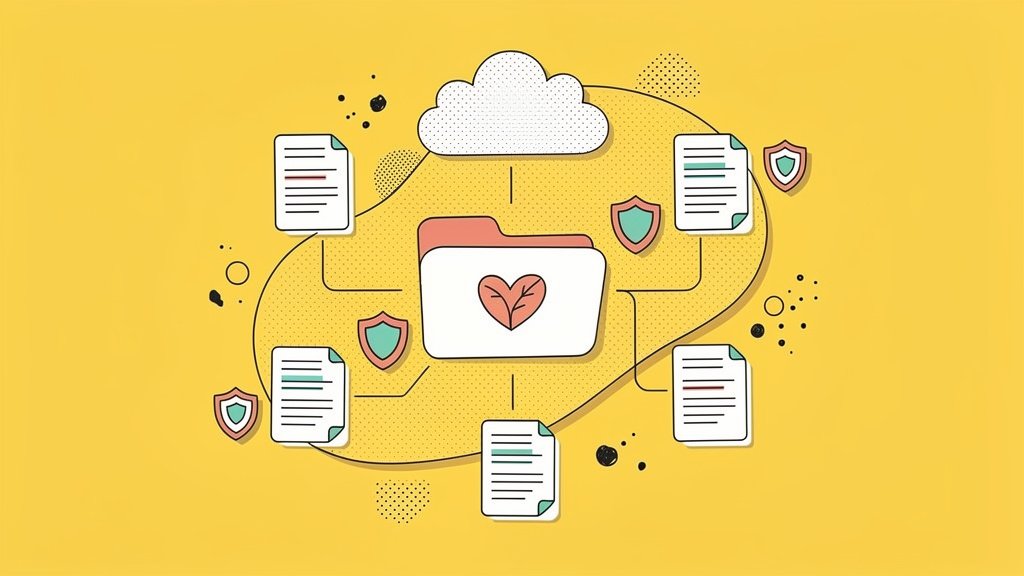
Nonprofits deal with a lot of sensitive material on any given Tuesday. Grant proposals, donor records, volunteer agreements, program reports — the list goes on. And while most teams put real thought into creating those documents, how they’re actually shared often gets far less attention. One misconfigured link, one folder with the wrong permissions, and suddenly sensitive donor information is visible to people who absolutely should not be seeing it.
So let’s talk about Dropbox. Specifically, how nonprofits can use it to share documents securely, what discounts are available, and how to set things up in a way that actually holds up under pressure. We’ll walk through eligibility, core features, real-world pitfalls we’ve seen firsthand, and some practical steps to get your team configured without it turning into a months-long IT saga.
Why Secure Sharing Is Non-Negotiable for Nonprofits
Here’s the thing: nonprofits sit on a surprising amount of sensitive data. Donor Social Security numbers for tax receipts, beneficiary health records, grant financials, employee files. It’s a lot. And yet, in our experience working with mission-driven teams, document security tends to be one of the last things that gets intentional attention.
Dropbox addresses this with password-protected links, expiration dates on shared files, and granular access controls that let you decide who can view, edit, or comment on any given document. It’s not magic, but when configured well, it meaningfully closes the gap between risk and readiness.
Protip: Before evaluating any cloud storage tool, do a quick audit of your current sharing habits. Ask your team: “How many files did we email as attachments last month?” That number is your uncontrolled risk surface, and it’s usually bigger than people expect.
Dropbox Nonprofit Eligibility and TechSoup Discounts
If your organization holds US 501(c)(3) status, you can access discounted Dropbox Business plans through TechSoup, the nonprofit technology marketplace most of us have probably bookmarked by now. The discount covers Business Standard and Advanced tiers, typically landing around 40% off annual subscriptions with a minimum of three users.
A few things to keep in mind on eligibility: your organization must not discriminate, must agree to program terms, and existing paid Dropbox customers generally won’t qualify for donation-tier pricing. Worth double-checking before you assume you’re in.
And if you use DocSend (that’s Dropbox’s secure document tracking product), nonprofits can get a 30% discount on all plans. You submit proof of status through their form and usually hear back within a couple of days.
| Plan | Storage | Key Security Features | Nonprofit Access via TechSoup |
|---|---|---|---|
| Business Standard | 5 TB per team | Password protection, 180-day file recovery, team folders | Discounted rates, minimum 3 users |
| Business Advanced | 15+ TB per team | End-to-end encryption, SSO, compliance tracking | ~40% off annual subscription |
| Enterprise | Custom | Advanced key management, 250 GB transfers | Contact Dropbox sales directly |
Core Security Features That Matter Most
Not every Dropbox feature is equally relevant for nonprofit teams, so let’s focus on the ones that actually move the needle on risk:
- End-to-end encryption on Advanced plans means files are unreadable in transit and at rest,
- two-factor authentication (2FA) adds a second verification step, so a compromised password alone can’t open the door,
- granular permissions let you set view-only, edit, or comment-only access per file or folder,
- watermarking on shared documents deters unauthorized redistribution of confidential grant financials,
- viewer history tracking shows exactly who opened a file and when, which matters a lot for compliance audits and HIPAA requirements.
Real-time collaboration through Dropbox Paper and HelloSign e-signatures keeps your team working inside one secure ecosystem, rather than bouncing between email threads and disconnected tools.
Protip: For grant submissions, consider using DocSend instead of a raw Dropbox link. You’ll see exactly when a funder opens your proposal, how long they spend on each page, and whether they forwarded it, all without losing download control. It’s a genuinely useful edge to have in a competitive grants landscape.
Challenges We See Every Day
Working with nonprofit teams for over a decade at Funraise, we’ve watched the same document-sharing failures surface again and again. They’re not hypothetical. They’re Tuesday.
- the “everyone can edit” folder. A development director creates a shared Dropbox folder for the board, gives full edit permissions to save time, and a board member accidentally deletes three years of financial reports the night before an audit,
- the zombie link. A program manager sends a Dropbox link to a partner organization for a joint grant application. The partnership ends, but the link never expires. Two years later, outdated beneficiary data is still accessible to people well outside your org,
- no single source of truth. Volunteers download files, edit locally, and email new versions back. Now there are four versions of the event waiver floating around, and nobody knows which one legal actually approved.
The fix here isn’t just better tools. It’s better configuration of the tools you already have. That distinction matters more than people realize.
Try This Prompt in Your Favorite AI Tool
Copy and paste the prompt below into ChatGPT, Gemini, Claude, Perplexity, or whichever AI assistant you’re currently loyal to:
I work at a nonprofit called [Organization Name] with [Number of Staff] team members. We use Dropbox [Plan Tier] to share documents related to [Primary Use Case, e.g., grant management, donor reporting, volunteer onboarding]. Generate a folder structure with permission levels for each team role, a shared link policy that minimizes data exposure, and a quarterly audit checklist for our Dropbox admin.That’ll get you a customized security framework in just a few minutes. That said, for your day-to-day fundraising work, it’s worth leaning on platforms like Funraise that have AI built directly into the workflow. When AI has full operational context, your donors, campaigns, and revenue data, it delivers far more actionable results than a standalone prompt ever can.
Setting Up Dropbox for Your Nonprofit
Good news: getting started doesn’t have to be a multi-week IT project. Here’s a sequence that works well in our experience:
- register through TechSoup. Head to techsoup.org, verify your 501(c)(3), and request your discounted Dropbox license,
- configure your team structure. Create groups by department or function (Development, Programs, Admin) and enable SSO if you’re running Google Workspace or Okta,
- migrate intentionally. Use selective sync to move files from old drives. Don’t just dump everything into Dropbox. This is a great opportunity to purge outdated documents and set classification labels (confidential, internal, public),
- integrate with your stack. Connect Dropbox to Salesforce for donor file sync, Slack for notifications, or Zoom for meeting recordings. If you use Funraise for fundraising, linking your impact reports and campaign documents creates seamless access across your whole team.
“The nonprofits that scale fastest aren’t the ones with the biggest budgets. They’re the ones that build integrated systems where data flows securely between tools instead of living in someone’s inbox.”
Funraise CEO Justin Wheeler
Best Practices: A Risk Mitigation Cheat Sheet
| Risk | Dropbox Mitigation | Why It Matters |
|---|---|---|
| Phishing and email-based breaches | Use shared links with password protection instead of attachments | Prevents the majority of human-error data exposure |
| Unauthorized external access | Role-based permissions and link expiration dates | Addresses the 55% of nonprofits lacking external sharing policies (NTEN) |
| Ransomware and data loss | 1-year file recovery on Advanced plans plus hybrid local backup | Aligns with the 70% of nonprofits that now maintain backup policies (NTEN) |
| Untrained staff | Quarterly Dropbox security training sessions | Only 40% of nonprofits conduct cybersecurity training (NTEN) |
Protip: Use Dropbox’s brand customization feature on shared files. Adding your logo and an organizational watermark to donor-facing documents does double duty: it reinforces trust and makes unauthorized redistribution traceable. Small move, real payoff.
Scaling Without Creating Data Silos
As your nonprofit grows, Dropbox scales with you across Standard, Advanced, and Enterprise tiers without forcing a platform migration. Plus, the integration ecosystem connects with 80+ apps, including Slack, Salesforce, Zoom, and most of the project management tools your team is probably already using.
That said, cloud storage alone doesn’t solve fundraising complexity. Organizations using advanced analytics and integrated fundraising tools raise 7x more online annually and see 52% recurring revenue growth (Sisense/Funraise case study). The point isn’t that Dropbox replaces your fundraising platform. It’s that secure document sharing becomes exponentially more valuable when it connects to the rest of your operational stack.
If you’re still putting your nonprofit tech stack together, Funraise offers a free tier with no commitments, giving you all-in-one fundraising tools (donation forms, peer-to-peer campaigns, donor CRM) that pair naturally with Dropbox for the document layer. Worth a look, even if you’re just exploring.
One Last Thing
Secure document sharing isn’t really a technology problem. It’s an organizational discipline problem. Dropbox gives you solid tools. But your job is to configure them with intention, train your team consistently, and connect them into a stack that doesn’t leak data between the cracks. Start with TechSoup, lock down your permissions, and build from there.
About the Author

How Professional Email Hosting for Nonprofits Impacts Donor Trust
Most donors meet your organization for the very first time through an email. Maybe it's a newsletter, a donation receipt, or a quick reply to a question they had. Either way, that inbox moment is basically your nonprofit's front door, and what donors see there shapes how much they trust you before they've even read…

Venmo for nonprofits: how to accept Venmo on your donation form
If your nonprofit's entire Venmo strategy is a handle in your Instagram bio and a QR code taped to a table at your gala, congrats, you're collecting money. But you're losing data. And data is kind of the whole point these days. Here's the better move: put Venmo directly on your online donation form, so…
What Features are Critical for Modern Collaboration Tools for Nonprofits?
Here's something we've noticed talking to nonprofit teams: collaboration tools used to be the thing you'd add "if there's budget left over." Not anymore. Whether your folks are spread across time zones, wrangling volunteers in the field, or sharing donor data off one laptop between three people, the tools you pick end up shaping your…