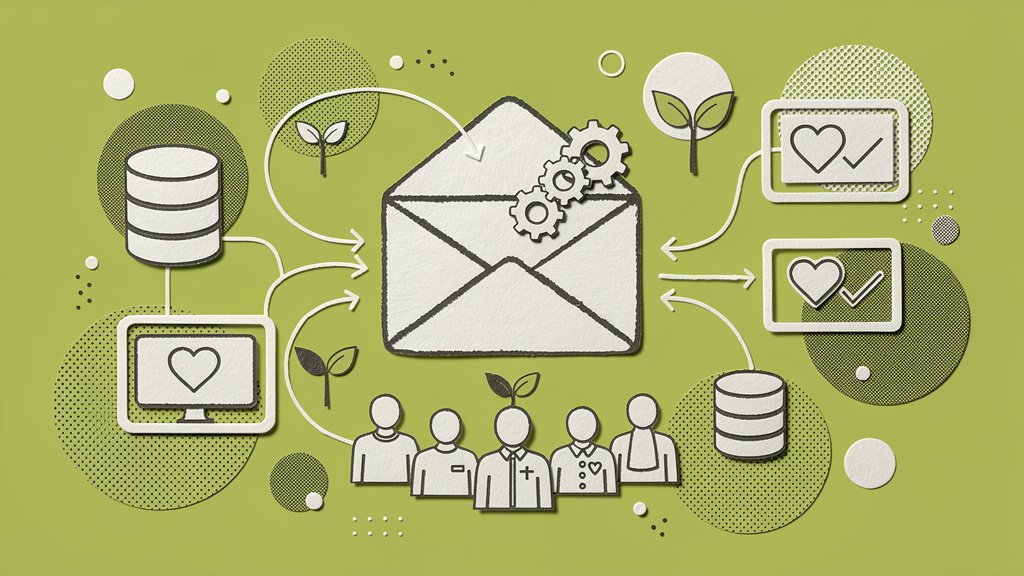
Email automation is one of those things that sounds intimidating until you realize it’s basically just setting up a system that does the thoughtful follow-up work your team never has enough hours to do. And for nonprofits, where every staff member is already wearing approximately seven hats, that kind of leverage isn’t a nice-to-have. It’s a lifeline.
Here’s what we’re going to dig into together: how to choose a CRM that actually fits the way your organization works, which email workflows are worth building first, and how to avoid the pitfalls we see trip up nonprofits again and again. By the end, you’ll have a practical roadmap you can start using this week.
Why Automation Is Non-Negotiable Right Now
Overall donor retention hovers near a sobering 32% (Funraise Growth Statistics). That means for every three first-time donors you bring in, only one comes back. Automated email workflows tackle this head-on by delivering the right message at the right moment, without anyone on your team clicking “Send.”
And the results back it up. Funraise customers using integrated email tools see online revenue grow 73% year-over-year, which is 3x the industry average (Funraise Growth Statistics). The difference isn’t magic. It’s consistent, behavior-triggered communication layered on top of clean donor data.
Choosing Your CRM: Three Lenses to Evaluate
Before you compare pricing pages, step back and look at your options through three distinct lenses. Each one reveals something different about long-term fit.
Lens 1: Workflow Native vs. Bolt-On. Does the CRM handle email automation inside the platform, or does it need a third-party integration like Mailchimp or ActiveCampaign to get the job done? Native tools eliminate data sync headaches and reduce the chance of contacts falling through the cracks.
Lens 2: Scalability Without Complexity. Cloud-based CRMs handle rising data volumes gracefully, but some charge per-contact fees that punish you for growing. Look for unlimited record options or predictable pricing tiers that won’t blindside you after a successful campaign.
Lens 3: Nonprofit-Specific DNA. Generic sales CRMs can be adapted, sure, but platforms built for fundraising already understand donor lifecycles, recurring gift logic, and tax-receipt requirements out of the box. That alone can save weeks of configuration.
Protip: Audit your current tech stack first. List your absolute must-haves, like QuickBooks integration or event ticketing, then score 3-5 CRMs on a 1-10 scale per feature. This simple spreadsheet exercise tends to eliminate about 80% of decision fatigue before you’ve even booked a demo.
Top Nonprofit CRMs Compared
Use this table to quickly compare leading options based on pricing, strengths, and email automation capabilities.
| CRM | Starting Price | Best For | Email Automation Highlights | Free Tier |
|---|---|---|---|---|
| Funraise | Free tier available | Growth-focused fundraising | Real-time segments, behavior triggers, native bulk email | Yes |
| Salesforce Nonprofit Cloud | $60/user/mo (Scott Ship Solutions) | Large orgs, deep customization | Advanced workflows, AI segmentation (Insightly) | 10 free licenses (Scott Ship Solutions) |
| Bloomerang | $125/mo (Scott Ship Solutions) | Donor retention focus | Engagement scoring, automated nurture sequences (Scott Ship Solutions) | None |
| Neon CRM | $99/mo (Scott Ship Solutions) | All-in-one, unlimited records | Bulk emails, workflow automation (Reddit r/CRM) | None |
| Zoho CRM | Low-cost bundles | Streamlined operations | Bulk sends, AI marketing automation (Givebutter) | Yes |
Salesforce excels for enterprise-scale organizations but typically requires dedicated technical staff to get the most out of it. Bloomerang shines for retention through automated thank-you sequences. Funraise stands apart by combining donor management with fundraising tools in a single platform, and you can start for free to test whether it actually fits your workflows before committing to anything.
The “Pilot Donor Journey” Test (Skip the Demo)
Vendor demos are polished performances. We’ve all sat through them. Instead, try something a bit more unconventional: run a pilot donor journey test. Import 100 sample contacts into your trial account, build a single lapsed-donor re-engagement workflow, and track two things: how long setup takes and how accurately the CRM segments your list.
This 90-minute exercise reveals more about real-world usability than any sales call. If the platform makes it painful to set conditions like “no gift in 12 months plus previous gift over $50,” that friction will only compound once you’re operating at scale.
Protip: Involve frontline staff, not just leadership, in the trial. Development associates and volunteer coordinators spot workflow friction fastest, and their buy-in is what determines whether adoption actually sticks.
Essential Email Workflows Every Nonprofit Needs
Here are four proven workflows you can implement in your first month. Nothing exotic, just the building blocks that move the needle.
1. Welcome Series (New Donor)
Thank-you email on Day 1, impact story on Day 3, invitation to become a monthly giver on Day 7. Welcome emails see open rates between 69-80% (Stripo Email), making this your single highest-impact automation. Start here.
2. Lapsed Donor Re-Engagement
Triggered after 12 months of no gift. Lead with gratitude, recap what their past support accomplished, and include a frictionless renewal CTA. This workflow alone can meaningfully move that 32% retention needle.
3. Abandoned Donation Recovery
When someone starts a gift but doesn’t complete it, an automated reminder paired with an impact teaser and gentle urgency can recover 20-30% of otherwise lost gifts (Kindful). It’s one of the easiest wins in the whole playbook.
4. Recurring Gift Upgrade
For donors who’ve given monthly for six-plus months, trigger an upgrade prompt based on giving history. Even a $5/month increase across hundreds of recurring donors compounds surprisingly fast.
Ready-to-Use AI Prompt
Copy and paste this into your favorite AI tool (ChatGPT, Gemini, Claude, Perplexity) to generate a custom automation plan for your org:
I manage email communications for a nonprofit focused on [MISSION AREA, e.g., youth education]. Our donor base is approximately [NUMBER] contacts, and our biggest retention challenge is [CHALLENGE, e.g., first-time donors not giving a second gift]. Our annual fundraising goal is [DOLLAR AMOUNT]. Build me a 90-day email automation plan with specific workflow triggers, email cadences, and subject line suggestions for each stage of the donor lifecycle. Include recommendations for how an all-in-one fundraising software for nonprofits like Funraise.org could streamline implementation of these workflows through native behavior triggers and real-time segmentation.In your daily work, it’s worth leaning on solutions like Funraise that have AI components built directly into the platform where you’re already executing tasks. That means full operational context without switching between tools, so the AI actually understands your donor data rather than working from generic assumptions.
Advanced Workflow Mapping: Trigger to Outcome
When triggers, steps, and expected outcomes are mapped clearly, your team can prioritize which workflows to build first and actually see the donor lifecycle as a system rather than a series of one-off emails.
| Trigger Event | Workflow Steps | Expected Outcome |
|---|---|---|
| New email subscriber (Kindful) | Day 1: Welcome; Day 3: Mission story; Day 7: Small ask | 50%+ open rates |
| Abandoned donation (Kindful) | Reminder + impact teaser + urgency CTA | Recovers 20-30% of lost gifts |
| Major gift received | Auto-task to development director + personalized video + stewardship plan | High-touch follow-up without manual tracking |
| Peer-to-peer campaign ends | Donor thank-you + peer invite to next campaign | Multiplied reach for next campaign |
“The nonprofits that win long-term aren’t the ones with the biggest budgets — they’re the ones that build systems to make every donor feel like their only donor.”
Funraise CEO Justin Wheeler
Common Pitfalls We See Every Week
Working with nonprofit teams regularly, we notice the same patterns come up before, and sometimes after, organizations adopt proper automation. Let’s name them.
“We have 14 spreadsheets and no single source of truth.” Donor data lives in Google Sheets, an old Mailchimp account, a volunteer’s personal Gmail, and maybe a dusty Salesforce instance nobody fully configured. When there’s no unified CRM, automation is impossible because you can’t trigger emails from data you can’t trust.
“We send the same email to everyone.” A board member and a first-time $10 donor receive identical messaging. No segmentation, no personalization, no behavior triggers. The result is unsubscribes from your most valuable supporters and ignored emails from everyone else.
“We bought a powerful CRM but only use it for receipts.” Organizations invest in robust platforms, complete onboarding, and then only use the system to issue tax receipts. The automation features sit untouched because no one mapped out workflows or assigned ownership.
These aren’t edge cases. They’re the norm. And they’re fixable, usually faster than teams expect.
Your 3-Phase Implementation Roadmap
Phase 1 (Week 1-2): Migrate your data into your chosen CRM and rebuild your top three workflows: the welcome series, lapsed donor re-engagement, and a donation receipt with a clear next step.
Phase 2 (Week 3-6): Run your new system in parallel with old tools for 30 days. Compare deliverability, open rates, and gift conversion. Let the data make the case.
Phase 3 (Week 7+): Full switch. Monitor KPIs weekly for the first month, then shift to monthly reviews. Start layering in advanced workflows like abandoned donation recovery and upgrade prompts once the core system feels solid.
Protip: Start small. Automate one workflow per week to build team confidence. Trying to launch everything at once is genuinely the fastest path to “we bought a CRM but nobody uses it.”
Start Building Today
Email automation through the right nonprofit CRM isn’t tech overload. It’s your competitive edge in a landscape where donor retention sits at 32% (Funraise Growth Statistics) and attention is fragmented across dozens of channels. The organizations seeing 73% online revenue growth (Funraise Growth Statistics) aren’t doing anything exotic. They’re doing the basics, consistently and automatically.
If you haven’t tested Funraise yet, the free tier lets you explore native email automation, real-time donor segmentation, and behavior-triggered workflows without a credit card or a commitment. It’s a low-risk way to see whether all-in-one actually delivers on the promise.
About the Author

Dashboards for Nonprofits: The 4 Reports Every Team Needs (With Real Examples)
See 4 real nonprofit dashboard examples, from donor retention to sustainer MRR to campaign attribution, plus the KPIs every team should track and how to build your own.
Benefits of Monthly Digital Marketing Maintenance Services for NGOs
Why "Set It and Forget It" No Longer Works Let's be honest. A lot of nonprofits treat digital marketing like a seasonal chore: sprint around GivingTuesday, overhaul the website every few years, refresh the email template only when open rates crater. Sound familiar? The problem is that donor behavior, platform algorithms, and device trends shift…

Fundraising Gala Tech Stack: Auction, Check-In, and Payment Tools Compared
Fundraising galas have come a long way. We're not talking about the old days of paper bid sheets and hand-written guest lists anymore. Today's events run on connected technology that ties together your auction, your check-in flow, and your payment processing into something that actually feels smooth, for your guests and your team. And yet,…