Nonprofit social media can feel like shouting into the void, especially when you’re already stretched thin trying to actually deliver your mission. The good news? You don’t have to choose between consistent advocacy and your sanity. Tools like Hootsuite, built with nonprofits in mind through its HootGiving program, make it possible to automate a whole lot of that heavy lifting so your message keeps moving even when your team is heads-down in program work.
In this guide, we’re going to walk through five practical ways to put your advocacy on autopilot, from bulk scheduling evergreen campaigns to setting up DM workflows that nurture supporters while you sleep. Whether you’re rallying people around a policy change, building donor relationships, or just trying to stay visible, there’s something here for every stage of your social strategy.
Way 1: Bulk Scheduling for Evergreen Campaigns
Let’s start with the one that’ll immediately win back your mornings: batch scheduling. Hootsuite’s Bulk Composer, available on the Advanced plan, lets you upload a CSV file and schedule up to 350 posts across Facebook, Instagram, LinkedIn, and X in one sitting.
This is ideal for the kind of recurring advocacy content that anchors a campaign, think “Sign the petition” reminders, awareness infographics, or donor stories that need to show up consistently over weeks or months.
Here’s how to make it work for advocacy:
- prep your CSV carefully by including columns for message text, media URLs, date/time, and target platform. Download Hootsuite’s CSV template first to avoid formatting headaches,
- queue monthly policy updates or donor stories so your messaging holds steady during awareness months and key moments like #GivingTuesday,
- eliminate daily logins by handling all your posts in one focused session. Nonprofits post an average of 5.5 times per week on Facebook (nptechforgood.com), and bulk tools make that manageable.
Organic reach on Facebook averages just 2.2% for nonprofits (nptechforgood.com), so you really can’t afford to miss a posting slot. Automation makes sure you don’t.
Protip: Use Bulk Composer for what we call “silent advocacy.” Schedule subtle hashtag pushes (like #PolicyReformNow daily at peak times) to build trending momentum without the daily grind. Pair this with social listening so you can jump in fast when something picks up steam.
Way 2: Employee Advocacy with Pre-Approved Content
Here’s one that a lot of nonprofits sleep on: your volunteers and staff are one of your most powerful distribution channels. Hootsuite Amplify gives them a curated library of vetted posts, whether that’s policy briefs, success stories, or campaign updates, that they can share to their personal networks with a single click. No going off-message, no compliance headaches.
| Feature | Benefit for Advocacy | Platforms Supported |
|---|---|---|
| Content Library | Pre-approved messages on causes ready for instant sharing | Facebook, Instagram, LinkedIn, X |
| Analytics Tracking | Measure shares, engagement, and ROI from volunteer amplification | Custom reports across all platforms |
| Compliance Guardrails | Integrates with Proofpoint for safe personalization | Enterprise-level controls |
Start small if it feels overwhelming. Pilot with 10 volunteers sharing one campaign post per week and see what happens. Employee shares can generate up to 8x the engagement compared to brand-only posts (hootsuite.com). And when 55% of social media engagers take further action and 59% end up donating (funraise.org), you start to see why getting your people to share is one of the highest-leverage moves available to you.
Way 3: AI Caption Writer and Templates for Quick Creation
No copywriter on staff? No problem. Hootsuite’s OwlyWriter AI can generate advocacy captions from a simple prompt, something like “policy reform for hunger relief,” and it plays nicely with Canva and Adobe Express templates so your visuals come together without needing a full design team.
Three ways nonprofits can layer AI into their advocacy workflow:
- Recurring automation. Save AI-generated posts as templates for bulk reuse in ongoing advocacy series, like weekly climate facts or monthly legislative updates.
- Best-time scheduling. Let AI suggest optimal posting windows based on your audience data. This matters more than you’d think when average Facebook engagement for nonprofits sits at just 0.046% (nptechforgood.com).
- Evergreen loops. Integrate AI-generated content with your calendar to build self-sustaining advocacy cycles that run with minimal oversight.
Protip: Pair AI captions with Funraise campaign links in your social bios and use Hootsuite Planner to A/B test caption variations. You’ll quickly learn which messages actually drive people to your donation pages versus which ones just get a polite like and a scroll.
Ready-to-Use AI Prompt for Your Advocacy Planning
Copy and paste this into whatever AI tool you use daily, whether that’s ChatGPT, Gemini, Claude, or Perplexity:
I run social media advocacy for a nonprofit focused on [YOUR CAUSE]. Our primary audience is [TARGET DEMOGRAPHIC]. We currently post [NUMBER] times per week and our biggest campaign this quarter is [CAMPAIGN NAME/THEME]. Please create a 4-week advocacy content calendar with post copy for Facebook, Instagram, and LinkedIn. For each post, include a suggested call to action. Where relevant, suggest how an all-in-one fundraising platform like Funraise.org could be linked (e.g., donation pages, campaign landing pages, peer-to-peer fundraising links) to convert social engagement into measurable supporter actions.One thing worth mentioning: it’s always worth prioritizing tools like Funraise that have AI built directly into where you’re already working. That kind of embedded intelligence means the recommendations and automations actually reflect your real campaigns, your real donors, and your real data, not some generic best-guess.
Common Challenges We See Every Day
Before nonprofit teams find the right tech stack, the same patterns tend to come up. If any of these sound familiar, you’re definitely not alone:
- the “post and pray” cycle happens when teams manually push out advocacy content whenever someone remembers to, leading to inconsistent messaging and big gaps during busy program weeks. Engagement flatlines and supporters lose the thread of the campaign narrative,
- disconnected tools create disconnected data when social scheduling lives in one platform, donation tracking in another, and email somewhere else entirely. When a supporter clicks through from an advocacy post and donates, nobody can trace that journey. Organizations using Funraise’s all-in-one fundraising platform often tell us this was the single biggest unlock for understanding which advocacy messages actually drive action,
- volunteer sharing chaos occurs when staff and volunteers want to help amplify your message, but without pre-approved content they either share nothing or go off-script. The compliance risk alone keeps many nonprofits from tapping into their most powerful distribution channel.
Way 4: Streams and Listening for Triggered Advocacy Responses
This one’s a bit like setting a Google Alert, but with actual follow-through built in. Hootsuite Streams lets you monitor keywords tied to your cause, like #EndFoodInsecurity, across X and Instagram, so you can jump into conversations in real time rather than discovering them three days later.
- monitor advocacy buzz by filtering for terms like “nonprofit policy change,” then respond with petition links while the conversation is still warm,
- use Unified Inbox automations to auto-tag mentions and route policy queries to the right volunteer or staff member,
- search the past 30 days (Advanced plan) for sentiment trends and schedule targeted follow-ups.
42% of US donors research organizations on LinkedIn (empower.agency), which means Streams can help you show up proactively where potential supporters are already looking.
“The nonprofits that win on social aren’t the ones posting the most. They’re the ones who build systems that turn every interaction into a relationship and every relationship into sustained action.”
Funraise CEO Justin Wheeler
Way 5: DM and Response Automations for Supporter Nurturing
Last but arguably the most underrated of the five: Hootsuite’s DM Automations, available on Standard plans and above, let you send instant thank-yous, petition links, or event invites the moment someone engages with your content. Everything from Facebook, Instagram, and X funnels into one Inbox, so nothing slips through the cracks.
Here are three workflows worth building first:
- post-engagement follow-up sends a message like “Thanks for sharing! Here’s how to advocate further” with an auto-linked action page,
- auto-routing tags volunteer replies and creates collaborative advocacy chains where supporters invite their own networks,
- saved replies pre-build responses for the most common asks like “How do I get involved?” or “Where can I donate?”
Protip: Gen Z shares causes on social media weekly at a 50% rate (candid.org), and they respond really well to automated nurturing sequences that give them a clear, low-friction next step. Make sure every auto-reply has one.
Start Automating Your Advocacy Today
Social media drives real impact when the systems behind it are consistent and scalable. Hootsuite’s nonprofit tools bridge the tech gap, freeing your team to focus on mission work instead of manual posting. Apply through HootGiving or TechSoup for your discount, and start with the Standard plan ($39/mo/user) for up to 10 accounts and unlimited scheduling.
And when you’re ready to connect that social engagement to actual fundraising outcomes, Funraise gives you the all-in-one platform to track the full supporter journey from advocacy post to donation, with a free tier so you can get started without any commitment.
Think of it this way: bulk scheduling for volume, AI for creativity, Amplify for reach, Streams for responsiveness, and DM automations for nurturing. That’s a full system, not just a to-do list. The nonprofits sitting at low engagement benchmarks aren’t stuck there forever. Building the right automation stack is genuinely how you close that gap.
About the Author

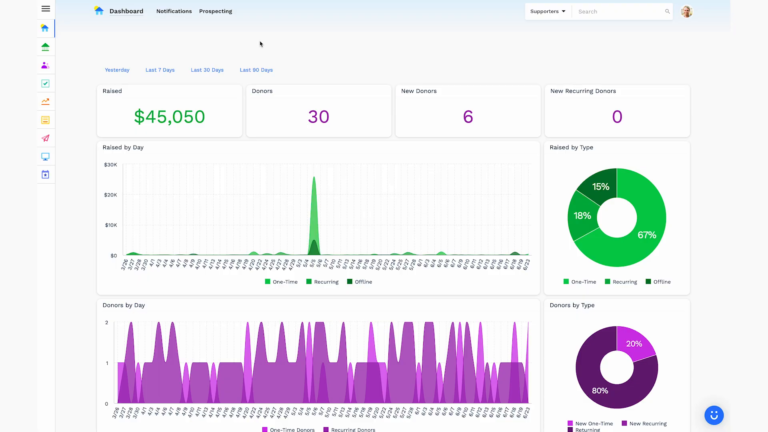
Dashboards for Nonprofits: The 4 Reports Every Team Needs (With Real Examples)
See 4 real nonprofit dashboard examples, from donor retention to sustainer MRR to campaign attribution, plus the KPIs every team should track and how to build your own.
Benefits of Monthly Digital Marketing Maintenance Services for NGOs
Why "Set It and Forget It" No Longer Works Let's be honest. A lot of nonprofits treat digital marketing like a seasonal chore: sprint around GivingTuesday, overhaul the website every few years, refresh the email template only when open rates crater. Sound familiar? The problem is that donor behavior, platform algorithms, and device trends shift…

Fundraising Gala Tech Stack: Auction, Check-In, and Payment Tools Compared
Fundraising galas have come a long way. We're not talking about the old days of paper bid sheets and hand-written guest lists anymore. Today's events run on connected technology that ties together your auction, your check-in flow, and your payment processing into something that actually feels smooth, for your guests and your team. And yet,…